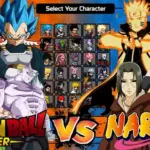
For fans of the beloved anime and manga series, Dragon Ball Z and One Piece, the dream crossover becomes a reality in the exciting world of Dragon Ball Z vs One Piece Mugen. This dynamic and action-packed fighting game, created by Kenshiro99 using the Mugen engine, brings together iconic characters from both universes into one epic showdown.

DownloadDragon Ball Z vs One Piece Mugen ROM: PC & APK
If you prefer to play offline, you can download the Dragon Ball Z vs One Piece Mugen ROM for both PC and APK. This allows you to enjoy the game on your computer or mobile device whenever you want. Simply follow our download instructions to get started.
How do you play Dragon Ball Z vs One Piece Mugen ? Controls & Move List
| Key | Action |
|---|---|
| Arrows | Move the character |
| A | Light Kick |
| S | Strong Kick |
| D | Partner Change/Quick Change (Quick Change turn to partner during a combo, requires 1/5 powerbar) |
| Q | Light Punch |
| W | Strong Punch |
| E | Partner Assist |
| Enter | Taunt |
How to play Dragon Ball Z vs One Piece Mugen on PC & Mobile?
Playing “Dragon Ball Z vs One Piece Mugen” on different platforms requires specific instructions. Learn how to set up and play the game on your PC and mobile devices. We provide step-by-step guides to make your gaming experience seamless.
How to Unlock all Characters in Dragon Ball Z vs One Piece Mugen ?
The characters available in this version are:
- Goku
- Vegeta
- Gohan
- Bardock
- Freeza (Boss)
- Cell (Boss)
- Luffy
- Ace
- Jinbei
- Crocodile
- Blackbeard (Boss)
- Doflamingo (Boss)
And we already have the next DLC characters, which will be:
- Akainu
- Broly (who will also be bosses)
- Zoro
- Trunks (the latter different from their first version)